Your Garmin and Strava data, together, at home.
Cairn brings them together on your own machine, in a file that belongs to you.
A heavy week
example
| Day | Sleep | HRV | Rest HR | Ride | Time | D+ |
|---|---|---|---|---|---|---|
| Mon | 7:40 | 62 | 48 | road | 1:30 | 450 |
| Tue | 7:10 | 60 | 49 | rest | ||
| Wed | 6:50 | 55 | 51 | enduro | 2:00 | 1200 |
| Thu | 6:30 | 51 | 53 | enduro | 2:30 | 1400 |
| Fri | 6:20 | 47 | 55 | road | 3:00 | 900 |
Why Cairn?
Garmin knows how you slept. Strava knows what you rode. Neither brings the two together, because they don’t talk to each other.
Garmin sees it
You string together a heavy week. Your heart rate variability has been falling for three nights and your resting rate is creeping up.
Strava sees it
You’ve piled on enduro descent and a three-hour road ride.
Cairn sets them side by side
But nobody brings the two together, and that is precisely where an overload shows before it costs you. Cairn brings both sources together, understands that a ride appearing on both sides is one ride, and sets the night’s recovery against the day’s training.
What does it do?
Nightly sync
One pass each night. The raw responses from both services and your original
.fitfiles are kept: nothing is lost, and anything can be recomputed later.No more duplicates
A ride recorded on your watch lands in both Garmin and Strava. Cairn keeps one, with the sensors from the first and the gear from the second.
Recovery and load
Sleep, heart rate variability and resting rate set against the same day’s rides: the comparison neither service can make.
Weekly summary
A model installed alongside the app puts your week into words, offline. It computes nothing: every figure comes from your own data, and any it invents is thrown out.
Desktop application
One window to link your accounts, run a sync and see what matters. Nothing to install alongside: put it on a USB stick and it carries its settings and its data with it.
Second-by-second analysis
Your
.fitfiles are decoded point by point: time actually spent in each heart rate zone, cardiac drift, a close read of any ride.
What does the app look like?
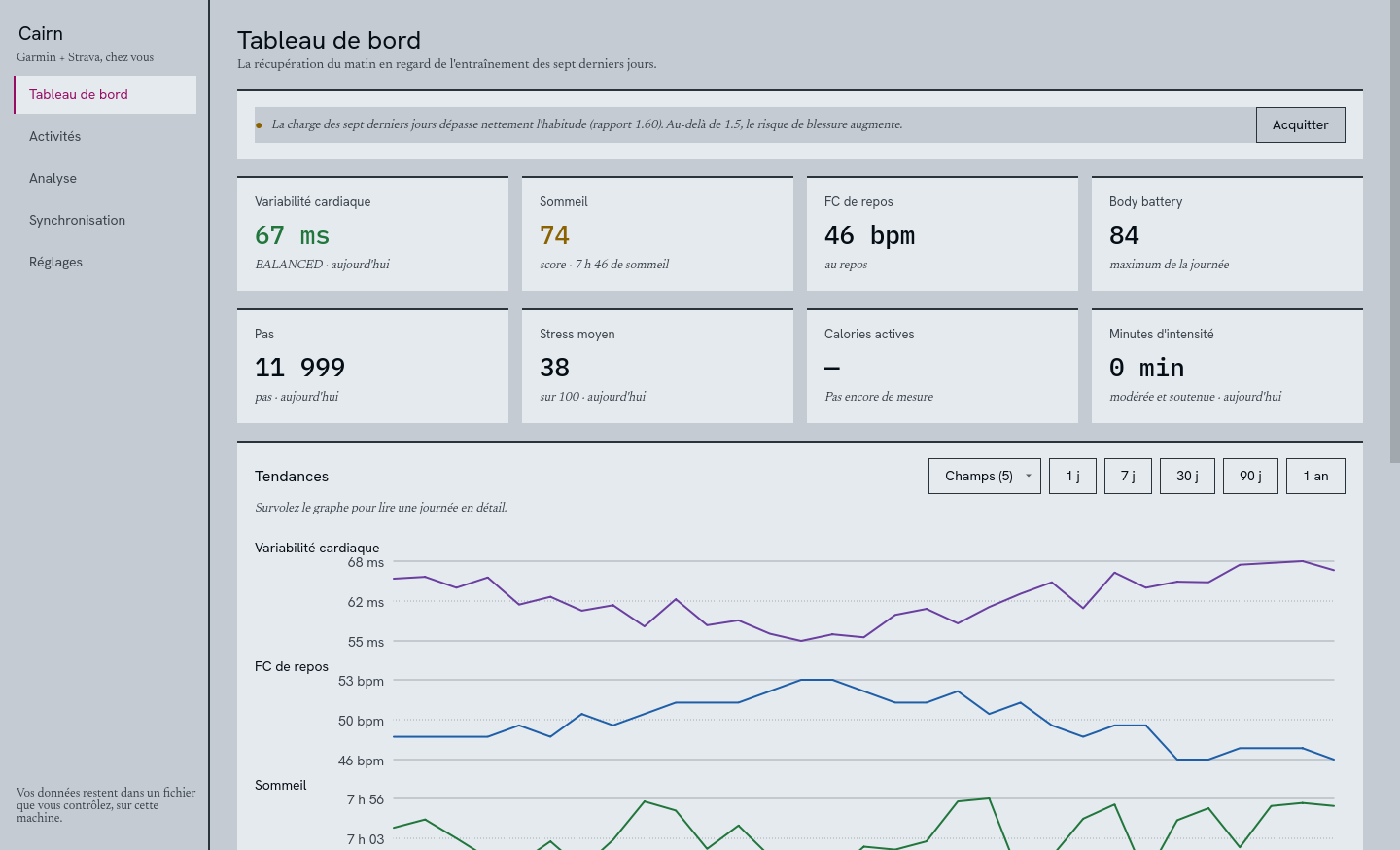
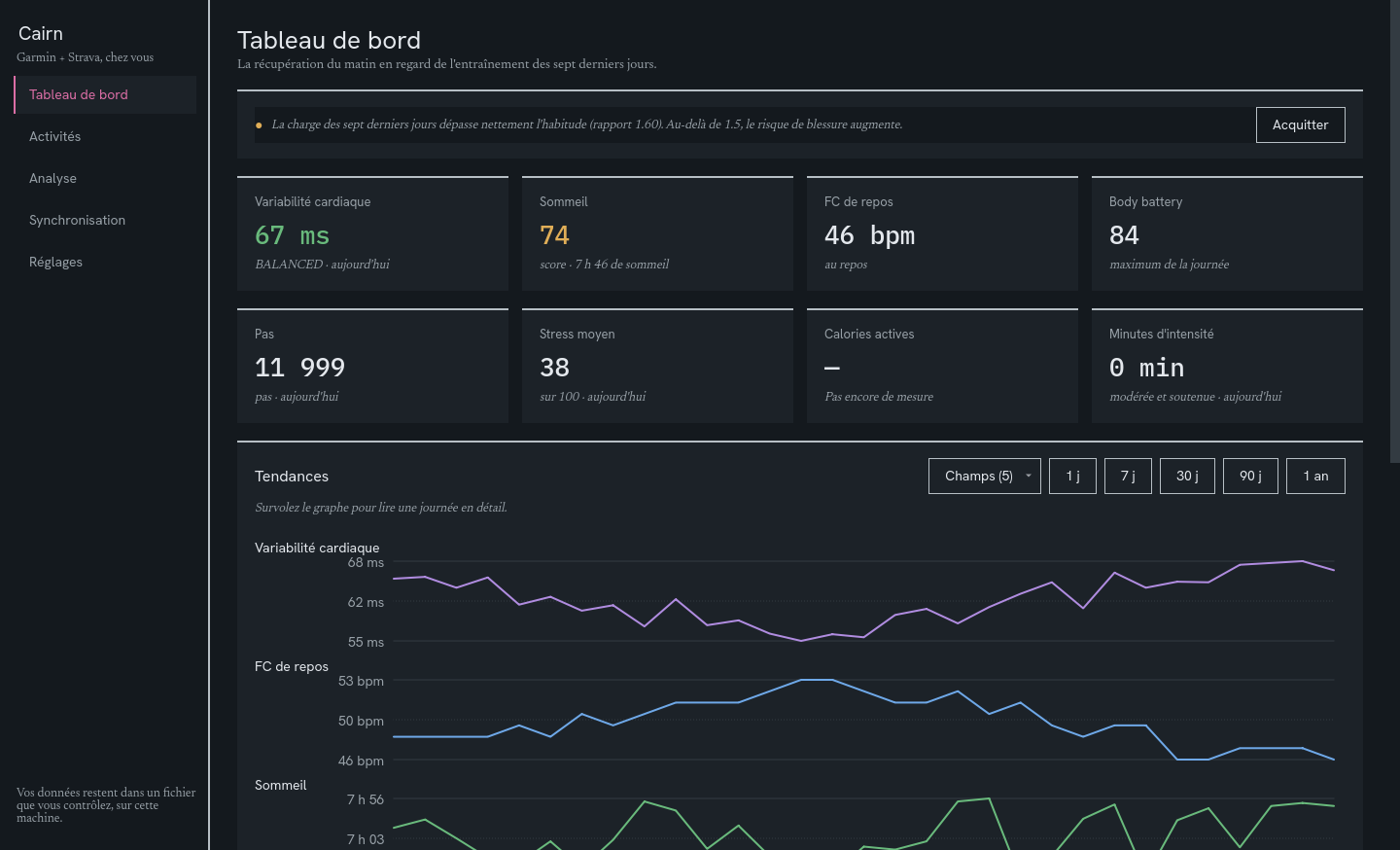
The dashboard: last night’s recovery set against training, over eight weeks.
Where does the project stand?
Cairn is under construction and has no stable release yet. Here is where things stand, unembellished.
| State | What |
|---|---|
| done | Garmin and Strava sync, duplicate merging, resume after interruption |
| done | .fit decoding, heart rate zones, TRIMP training load |
| done | Built-in analysis: intensity zones, volume per discipline, weekly load |
| done | Chronic and acute load, comparison against your own averages, overload detection |
| done | Weekly summary written by a local model, sent to Discord |
| planned | Automatic warning as soon as a fatigue threshold is crossed |
And on first launch?
Nothing to prepare: the app carries its database and its model. On first launch, the Settings page picks where your data lives, creates the key that encrypts your access, prepares the database and links your accounts. Since Garmin doesn’t open its API to individuals, Cairn opens a session and keeps only the token, encrypted: your password is never stored.
cairn.db
Everything fits in one file, cairn.db. Backing it up backs up Cairn; copying it elsewhere moves Cairn there.
Where do I get it?
A self-contained application: no Python, no database, no model to install alongside. You launch it, it works.
| Platform | File | Notes |
|---|---|---|
| Linux x86-64 | Cairn-x86_64.AppImage | chmod +x then run |
| Windows x86-64 | Cairn-windows-x86_64.zip | Unzip, then run Cairn.exe |
| macOS Apple Silicon | Cairn-macos-arm64.dmg | Not notarised: xattr -dr com.apple.quarantine |
| macOS Intel | Cairn-macos-x86_64.dmg | Not notarised: xattr -dr com.apple.quarantine |
Each build carries the qwen3:0.6b model, which is what makes it around 800 MB. That is the price of a summary that runs offline, with nothing to install and not a line of your data leaving the machine. If you already run Ollama elsewhere, put its address in the settings and Cairn will use it.
Every file ships with its SHA-256 checksum. Without a paid signing certificate, Windows and macOS will warn you on first launch.
On Linux and macOS, in one command:
curl -fsSL https://devfrp.github.io/Cairn/get.sh | shWhere does my data go?
Cairn only talks to Garmin and Strava, and only to fetch what is yours. No third-party service, no telemetry, no account to create. Your data and activity files stay on your machine, and this page loads no fonts or scripts from anywhere else.